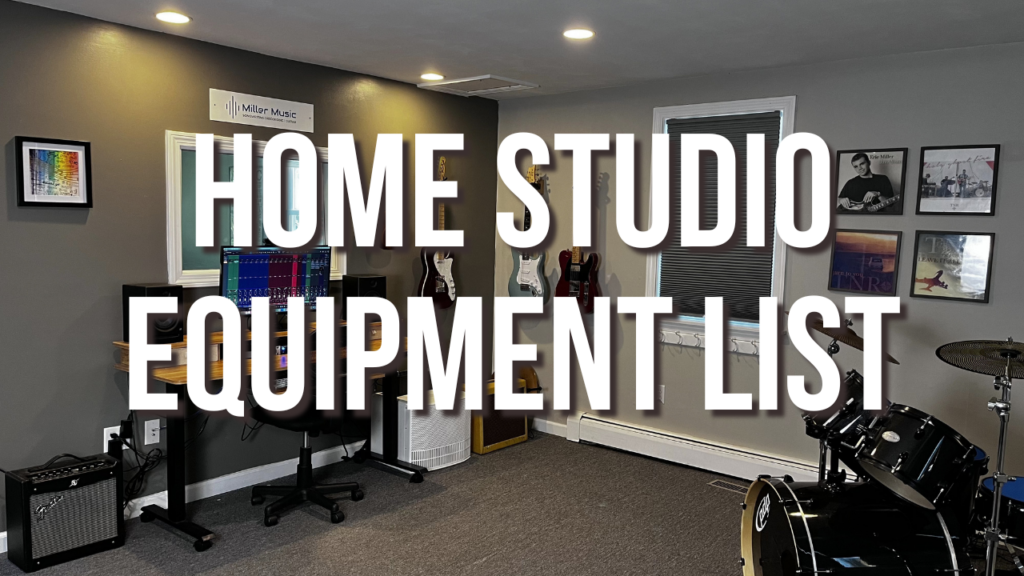
If you were thinking about starting up a home studio or are looking to improve your current studio set up, below is an overview of all the equipment you will need, as well as some basic room treatment techniques.
1. Computer
Your computer is the central hub for recording music from home. Depending on which software you use, both Mac and PC are great choices for a computer. Generally, you want to get a computer with as much processing power and RAM as possible. I will go over the next section, which software is compatible with either Mac or PC. Additionally, it is advised to keep your audio saved on a separate drive when your computer runs on. This will keep your computer running smoother and more efficiently without bogging it down with lots of audio. It is fairly inexpensive to get separate hard drives that connect to your computer via USB and you can always get multiple separate hard drives once they become full.
2. Software
Below are some of the popular DAW digital audio workstation platforms for recording your music. All of them are good options and are able to record professional-sounding songs. It really comes down to personal preference and what style of music you make for which software to choose.
- ProTools
ProTools has been considered one of the industry standards for professional recording studios from New York to Nashville to LA. The downside of ProTools is that it’s a bit more expensive to get started, and there’s a steeper learning curve to using the software.
- Logic
If you have a Mac computer, Logic is a fantastic option. It is very intuitive and is based off of Garage Band. You also get all of this sounds built into it and it is reasonable cost to get started.
- Fender Pro Studio (Studio One)
Fender Pro Studio is the software I use and prefer. It works great for all styles of music, especially rock and guitar based music. It also works on both Mac and PC.
- Ableton Live
Ableton Live was originally designed for use with live performances. It tends to be favored with people that create electronic music as it’s great for working with loops.
- FL Studio
FL Studio is a unique software primarily for making electronic and EDM music.
3. Audio interface
The audio interface connects directly to your computer and turns your analog signal into a digital signal. There are many on the market to choose from, and they vary based on the number of audio inputs, features, and preamps built into the interface. There are also important gain knobs on the front of the interface for adjusting the level of each individual microphone input. This is essential to ensure that you are not clipping any audio track while recording. If you are recording alone, you will probably only need an interface with one or two inputs. If you are recording a full band or drums, you will need an interface with at least eight inputs.
4. Microphones
There are two basic microphones that are useful for home recording. The first is a dynamic microphone. A dynamic microphone is great for capturing loud sounds and only sounds directly in front of an up close to the microphone. An example of this would be the Shure SM 57. This mic is really great for making guitar amps, snare drums, even vocals. The second type of microphone is a condenser mic. A condenser microphone requires phantom power to operate. You will see on the front of your audio interface a button that says 48V. This must be enabled for the mic to work. Condenser microphones are much more sensitive and capture a lot of details in the recording and can also capture more of the room sound. Examples of instruments that work really well with condenser microphones are acoustic guitar, vocals, stringed, instruments, overhead and room microphones for a drum set. Additionally, each microphone also has different patterns as to where it picks up sound from. For example, front vs. side of microphone vs. back of microphone.
5. Cables
There are two kinds of cables you will need for recording. The first is a TRS cable which stands for tip ring sleeve. This is the same thing as a basic mono guitar cable. The tip is the very end of the cable, the ring is the small ring next to the tip, and the sleeve is the encasement for the rest of the cable.
6. MIDI controller
MIDI stands for musical instrument digital interface, and the MIDI controller is any keyboard, drum pad or electronic drum set that connects via USB to your computer enabling you to record MIDI. You may also use your computer keyboard to input MIDI notes as well. Many producers use smaller keyboards with as little as 25 keys, just input MIDI notes. You can also use a full-size keyboard as well.
7. Room treatment
Every room has its own unique sound to it based on what is in the room as well as the size. Room treatment helps eliminate unwanted reflections in space.
Room treatment usually is done by hanging foam pads on the wall or ceiling of a space. You can also get bass traps to put in the corners of the room Eliminating buildup of base frequencies. The cost of treating a room varies from DIY treatment all the way up to expensive custom treatment. Finding a room with carpeting will also help to eliminate reflections and unnecessary echo in the space. The reason that you would want to treat your room is when recording if all of that echo and reflections gets into the recording and then you add different affects on it, it doesn’t sound good, especially if you have many different tracks with unwanted reflection in it. It is best to create a acoustically dead sound when recording. That way you can add effects to it and you’re starting from a clean slate.